



Know where your
money goes.
Lunas turns your income, bills and savings plan into one simple number — and then keeps it honest as the month goes on.
Free while in early testing, no card. In your browser, on every device you sign in on.
Good morning, Ben
Safe to spend today
$38.40
On track for the month
Could save this month
$600.00
Based on your plan
Spending left
$1,036.80
and still save 600
Today
- LunchFood8.50
- Bus fareTransport1.00
The whole app, as it is
Four screens, photographed from the build that is live right now. Not mockups — if the app changes, these change with it.
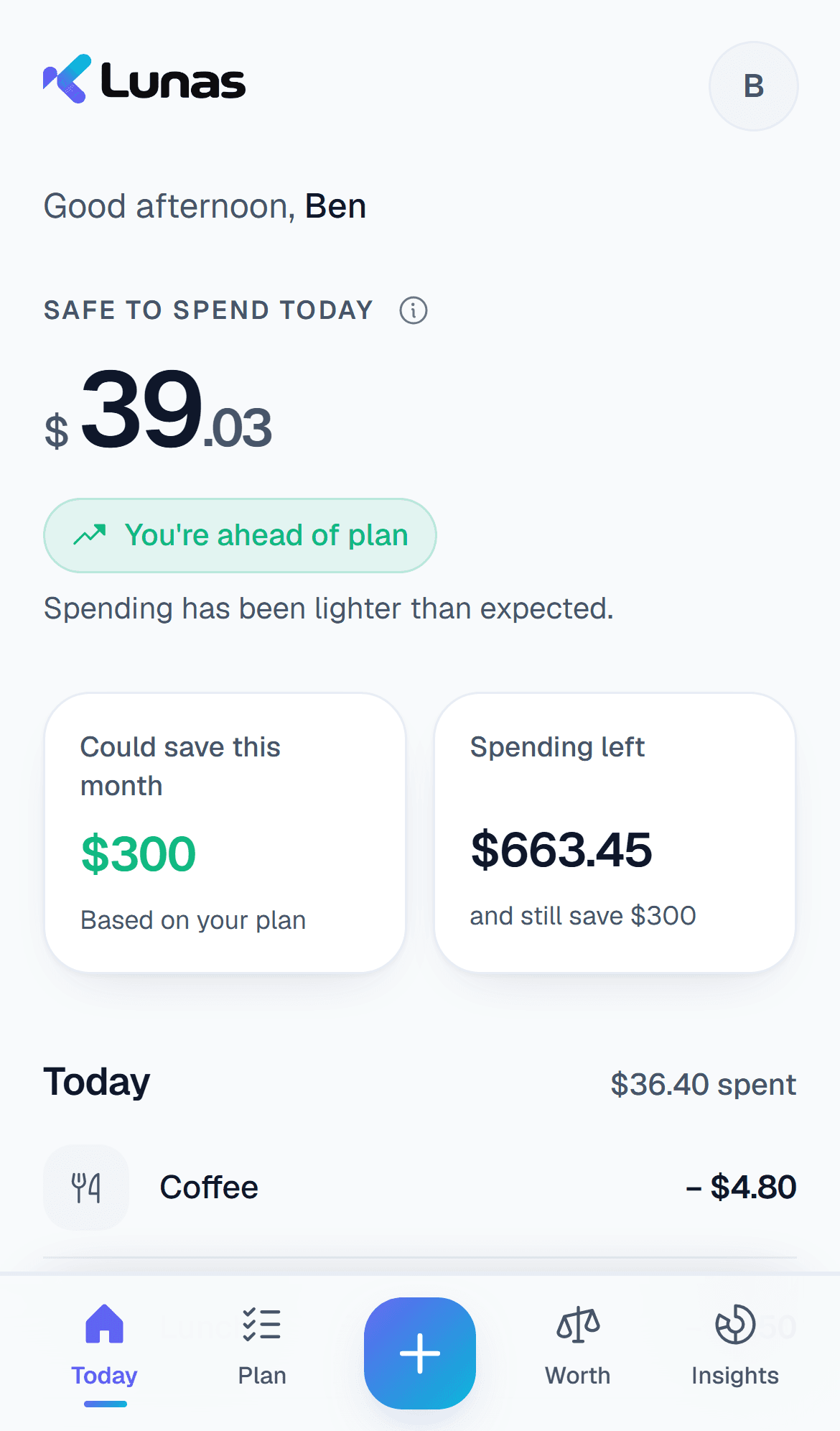
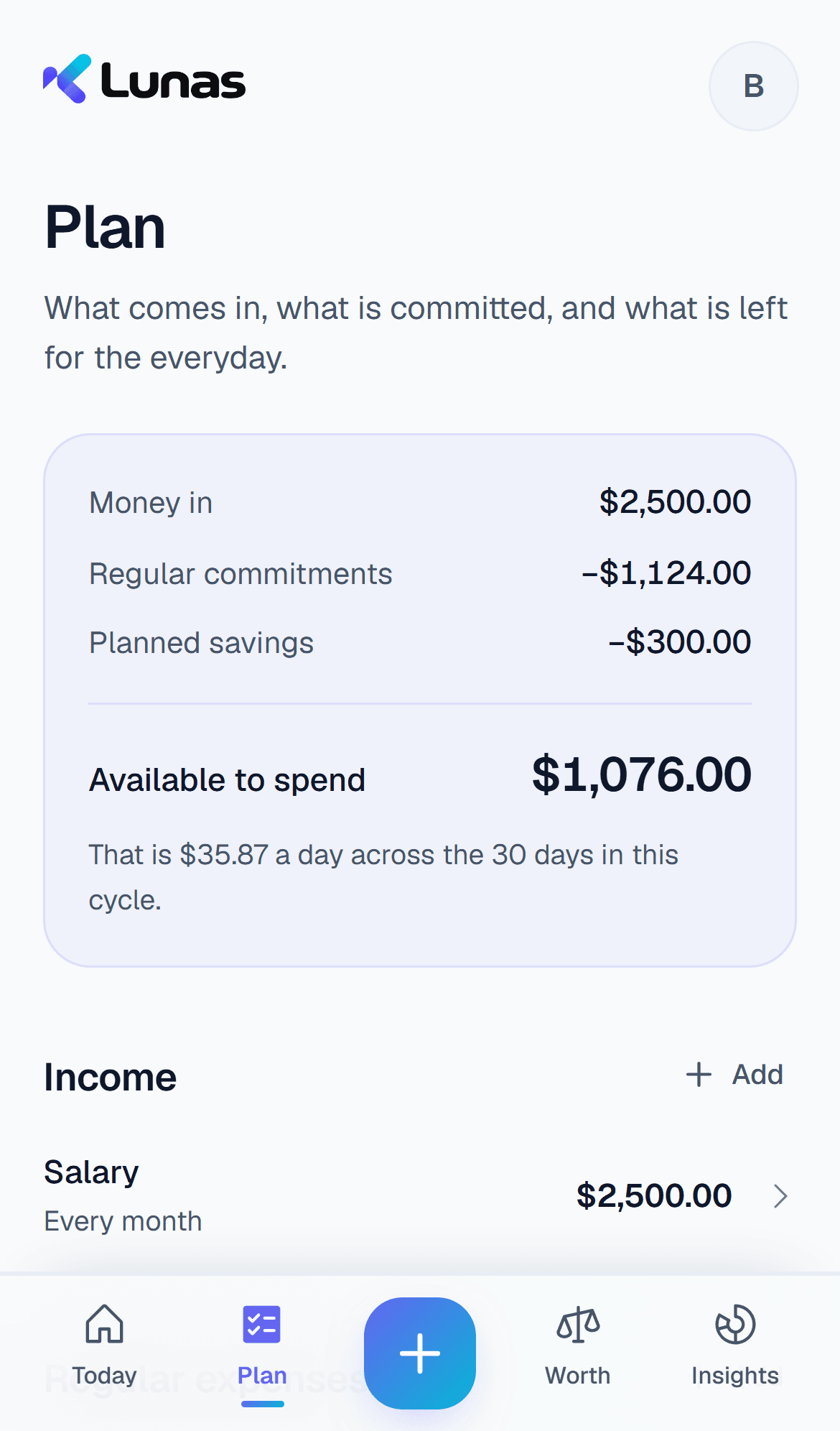
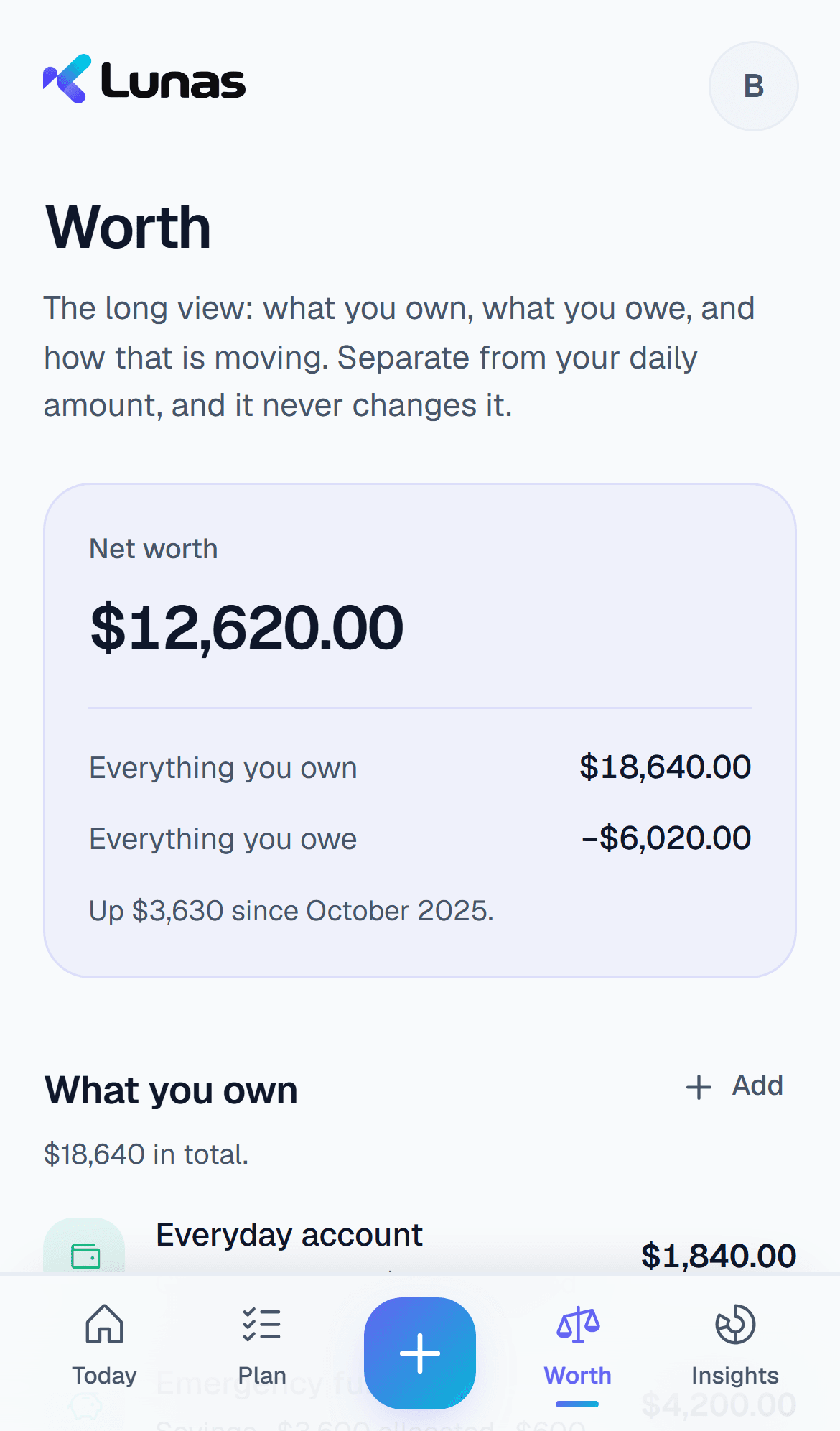
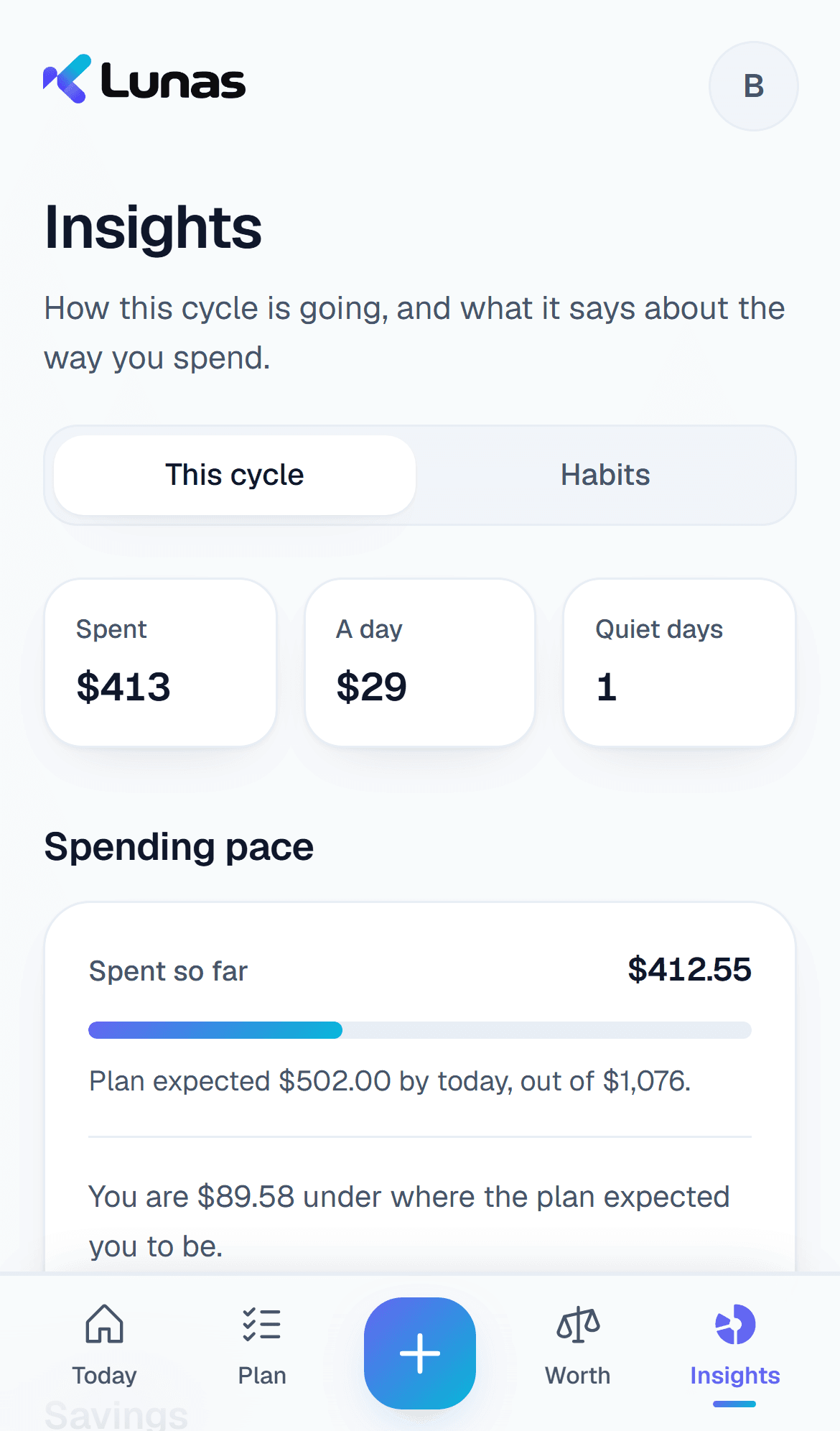
One number, and where it comes from
There is no clever model here and nothing hidden. Lunas subtracts what is already committed, sets your savings aside first, and divides what is genuinely left across the days remaining. Every screen in the app reads that same calculation, so no two figures can disagree.
Change a bill, and today’s number changes with it immediately.
A month, worked through
The same figures as the phone above. They reconcile because the app refuses to let them do anything else.
What Lunas does
Add in seconds
Log what you spent in a couple of taps, in any currency. Lunas keeps the original amount and the rate, so a trip abroad still reconciles later.
Savings stay yours
Your goals come off the top, not out of whatever happens to be left. The daily number already has them subtracted.
A new cycle, checked
When a cycle turns, Lunas asks what actually reached your savings and whether each account still matches the bank — then what the next cycle should set aside.
Works with no signal
Everything is written to your device first and catches up later. A bus with no reception is not a reason to stop tracking.
Your month explained, and ready to hand over
See a cycle told back to you, and give your financial planner or tax professional a record they can work with instead of rebuilding the year from scattered notes. Reports come as PDF or Excel; records as CSV or an Excel workbook, all of which open in ordinary software.
Your money, explained
A cycle as charts and plain sentences: where the money went, the rhythm of the days, and how it compares with the cycle before. It describes what you recorded, and never tells you what to do.
A planner-ready snapshot
Income, regular costs, savings goals, annual costs, assets and debts in one file.
US and UK tax years
Choose a US calendar year or a UK year running from 6 April to 5 April.
Part of Lunas+. Lunas+ is not on sale yet, so it is on for every account in the meantime.
Lunas organises your records. Your professional decides what is taxable, deductible, allowable or reportable, and where it belongs on a return.
UK tax records
6 Apr 2025 – 5 Apr 2026
| Date | Record | Amount |
|---|---|---|
| 08/04/2025 | Freelance payment | +1,250.00 |
| 12/04/2025 | Work travel | −46.80 |
| 18/04/2025 | Software | −24.00 |
Free is the whole budget. Plus is the rest.
Budgeting with Lunas costs nothing, and that is not a trial. The daily number, your plan, every entry, and everything Lunas can tell you about the cycle you are in are free and stay free. Lunas+ is for the questions one cycle cannot answer on its own.
Free, always
- The daily number, and the working behind it
- Your whole plan: income, bills, allowances, savings goals, yearly costs
- Every entry, editable, with foreign spending kept at the rate you used
- Where the money went this cycle, and what is left of each allowance
- This cycle against the last, and where your pace lands each category
- Balance sheet, net worth over time, and months of cover
- A check as each new cycle starts: savings confirmed, balances brought up to date
- Sync across your devices, and your data out whenever you want it
Lunas+ adds
Budget pace
How far through the cycle you are, held against how much of each allowance is already gone.
Annual expense preparation
What each once-a-year bill needs per month to be ready on the day it lands, and whether the current rate gets there.
Future cash flow
The months ahead, with your planned income and commitments applied — and which of them look tight before they arrive.
Spending anomalies
Weeks where a category came in well away from your own normal, measured against your history rather than a rule of thumb.
Spending adjustment
When one category runs over, what the rest of the cycle would have to look like to finish on plan anyway.
Goal feasibility
What each goal and once-a-year bill needs every month to arrive on time, and where you stand against that.
What changed
The categories behind the difference between this cycle and the last, adding up to the difference itself.
Financial outlook
Where the plan and your spending pattern leave you months from now, as a forecast rather than a promise.
Recurring spending
What you pay for again and again, found in your own record rather than declared up front — with what each one costs you over a month.
Reports and exports
A cycle told back to you as a PDF or Excel report — charts, and plain sentences about where the money went — plus your records organised for an accountant or a planner: a tax-year ledger with the review columns left for them, and a snapshot of the whole plan.
Scan a receipt
Photograph a receipt and the expense form fills itself in — the amount, the shop, the day — for you to check before it is added.
Import a bank statement
The PDF from BIBD, Baiduri or Standard Chartered, read on your phone: every line with what it was and a category, for you to tick before it is added. A pasted bank SMS too.
Family insights
On a family plan: what each person chooses to share — the totals, by category, or everything — read together on Insights, with who may see what set by the plan holder. Nothing is shared until a person says so.
A reading in plain words
Your cycle's figures, or the family's, read back by AI in a few plain sentences — the patterns it sees and the questions they raise. Never what to buy, cut or pay first.
| Currency | Monthly | Yearly | Family, up to 6 |
|---|---|---|---|
| USD | USD 1.99 | USD 19.99−16% | USD 59.97 |
| GBP | GBP 1.99 | GBP 19.99−16% | GBP 59.97 |
| BND | BND 2.00 | BND 20.00−16% | BND 60.00 |
| MYR | MYR 5.00 | MYR 50.00−16% | MYR 150.00 |
| IDR | IDR 15,000 | IDR 150,000−16% | IDR 450,000 |
| PHP | PHP 89.00 | PHP 899.00−15% | PHP 2,697.00 |
Yearly is the same Lunas+, paid once. Family covers up to 6 people for the price of three, yearly only. In a currency not listed, your app store charges the local equivalent.
Not on sale yet, and nothing is being collected.
Lunas+ is not on sale yet, so these are the prices it will launch at rather than prices you can pay today. Install Lunas and the free budget works in full, and the Plus features are on for everyone while there is nothing to charge for.
No bank login. Ever.
Lunas never asks for your online banking credentials. You tell it what you earn and what you owe; it does the rest. Your figures are written to your own device first, and if you never create an account they never leave it.
Sign in to keep the same plan on your phone and your laptop. What you sync is encrypted before it is stored, with the key held outside the database — so a copy of the database on its own is unreadable. You can export everything you have put in at any time, and deleting your account deletes it with you.
Something not adding up?
New here? Read the playbook — setting up, recording as you spend, and payday, move by move.
Lunas is in early testing, and a figure that looks wrong is worth telling us about — it is how the engine gets checked against real money rather than our own examples. Write to lunas@kapix.io.